

EV charging Electromobility
made easy.
Find. Charge. Drive on.
With ChargeIT you charge your electric car from your phone: find a charging station on the map, start with QR or an RFID card, pay securely and get a receipt for every charge.
- Sign up with Google or Apple
- 24-hour support
- Station mapavailability, plug, power
- Price per kWhbefore you start
- Charger bookingfrom the station page
- Receipt or invoicefor every charge
Bring your charger to ChargeIT.
For owners of EV charging stations and for charger installers.
Own a charging station?
It runs around the clock without you being there. Drivers find it in the app and pay through it.
- Payments and receipts in the app
- Preferential pricing
- Switch from your current public charging provider
Are you an installer?
Connect the chargers you install to ChargeIT and we run them as the CPO. If you want a network of your own, you can have it under your own brand too.
- No need to become a CPO
- Management panel and app
- Remote support
Need a charger?
Hellas Power installs it.
Hellas Power, ChargeIT’s installation partner, plans, installs and connects your EV charging station to the ChargeIT platform. For homes, businesses or public use, with remote access and support.
Home charging
A charger at home, with installation, set-up, support and remote access.
Business systems
Site study, installation and connection to the ChargeIT platform, with remote access and 24/7 support.
Public charging
Stations for public use, connected to the ChargeIT platform and shown in the app, with 24/7 support.
- 01Site studyThe right charger for your site and your power supply.
- 02InstallationBy Hellas Power, with the charger set up.
- 03Connection to ChargeITThe charger joins the platform, with remote access.
- 04SupportHelp whenever you need it, and 24/7 for business and public stations.
From the map to the receipt,
in three steps.
With ChargeIT, charging your electric car happens entirely on your phone.
-
01
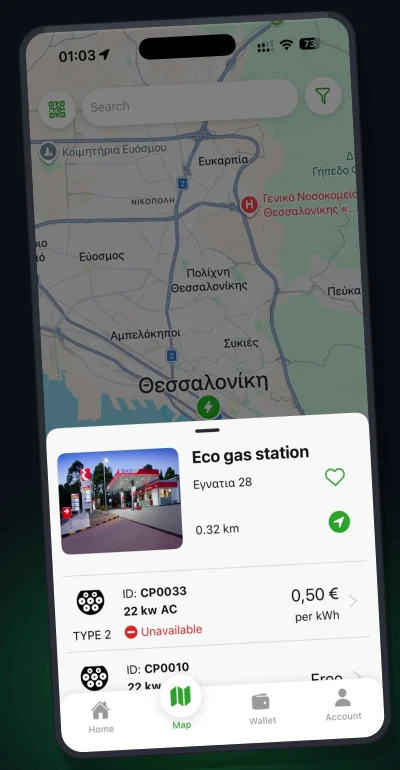
Find a charging station
Open the map, filter by plug, power and availability, and see the price per kWh. If you like, book the charger in advance.
- Plug type
- AC / DC
- € / kWh
-
02
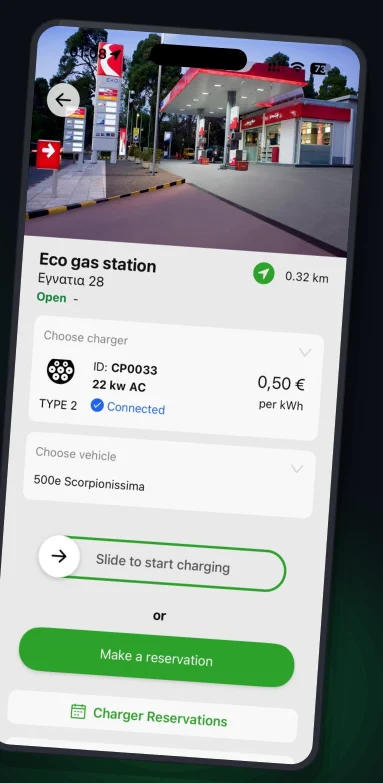
Plug in and start
Scan the charger’s QR code, choose your vehicle and swipe to start. Or just tap your RFID card.
- QR
- RFID card
- Booking
-
03
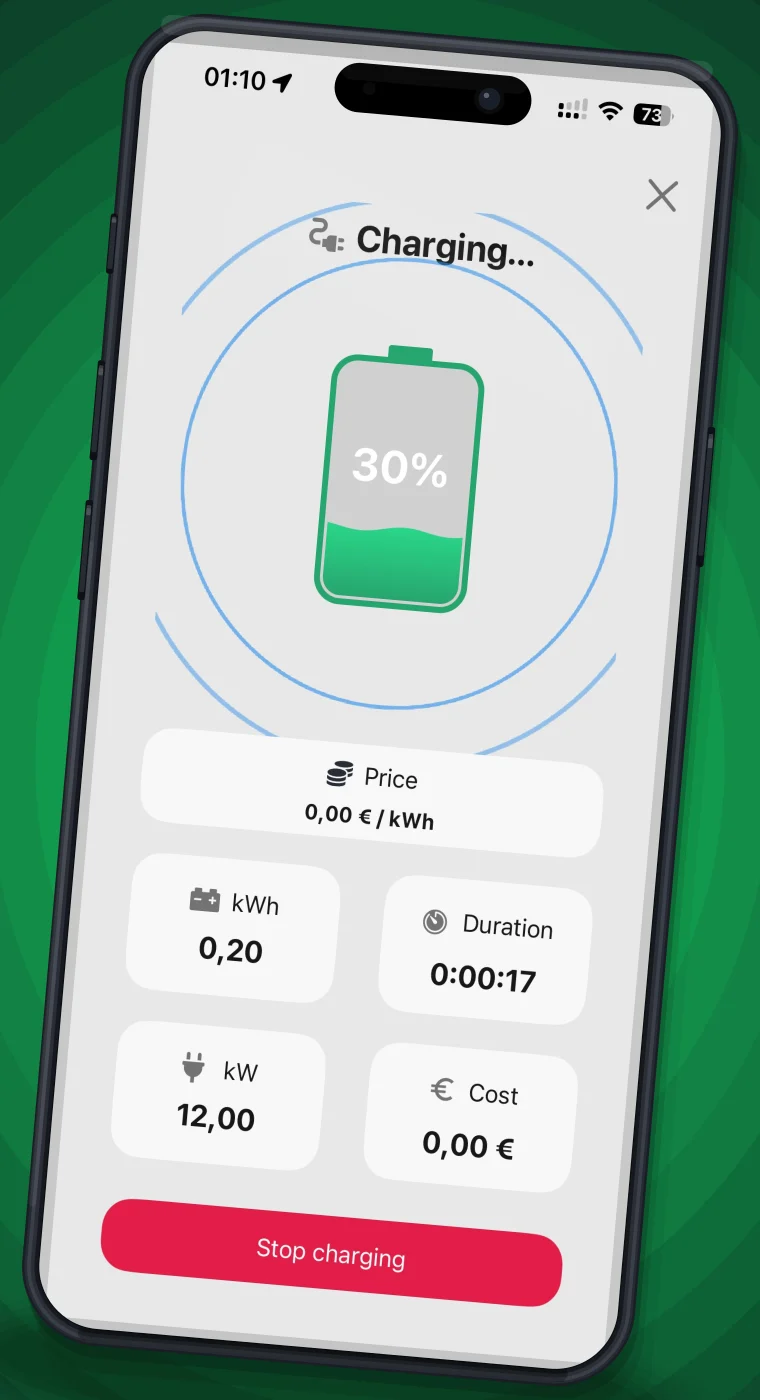
Charge and pay
Watch kWh, power, duration and cost live. Payment comes from the app wallet and the receipt arrives in your inbox.
- Wallet
- Receipt
- Invoice
- The ChargeIT appSign up with Google or Apple too
- A bank cardDebit or credit, to top up the wallet
- An RFID card, if you likeSet-up instructions in the app
AC or DC? What to know before you charge.
Each charger’s page shows the plug type, power, price per kWh and opening hours before you start.
Charging while you are parked
Usually with a Type 2 plug. Best when you stay for hours: at a hotel, an office, an apartment building or a car park.
Type 2Fast charging on the road
With a CCS2 or CHAdeMO plug, for quick stops on trips and journeys.
CCS2CHAdeMOPower and energy
kW tells you how fast the charger charges. kWh is the energy that goes into the battery, and it is what you pay for.
€ / kWhEverything you need on the road.
Charging station map
Charging points on the map, with availability and price.
Filters
By plug type, current, power and availability.
Station details
Photos, opening hours, price per kWh and availability.
Charger booking
Book a charger from the station page.
Favourites and nearby
Save your stations and see the ones closest to you.
Your vehicles
Choose a vehicle and see charging statistics for each one.
Charging payments with no surprises.
The price is shown up front
Price per kWh on every charger’s page, before you start charging.
App wallet
Top up with a debit or credit card, and each charge is paid from there.
Receipt or invoice
A receipt by email for every charge. For businesses, an invoice with your company details.
RFID card: charge without your phone.
Register your card in the app with step-by-step instructions, then start charging by tapping it on the charger.
The ChargeIT platform for charging stations.
The app runs on the ChargeIT charger management platform. See it on our international website.
charge-it.ioQuestions about charging.
Didn’t find your answer? Write to us at support (at) chargeit.com.gr or call +30 2311 320010.
How do I start charging?
Plug in the cable and start charging from the app, or by tapping your registered RFID card on the charger.
How do I know which charger I’m at?
Scan the QR code on the charger. The app opens that charger’s page.
Do I need an account to charge?
Yes, to complete the charge and get a receipt. You can also sign up with a Google or Apple account.
How do I pay?
You top up the app wallet with a debit or credit card, and each charge is paid from there.
Where do I see the price and availability?
On each charger’s page in the app: plug type, power, price per kWh, opening hours and availability.
Can I book a charger in advance?
Yes, from the station page in the app.
Can I charge with an RFID card?
Yes. Register your card by following the instructions in the app, then start charging by tapping it on the charger.
Can I get an invoice for my company?
Yes. Add your billing details in your account settings. Invoices and receipts arrive by email and are shown in the app.
A Greek EV charging app, made in Thessaloniki.
ChargeIT helps you find EV charging stations, see availability and the price per kWh, book a charger and pay in the app, with a receipt or an invoice.
For charging station owners and charger installers, the ChargeIT platform takes care of operation, billing and support.
546 22 Thessaloniki